SearchSEO vs CTRTool: CTR Manipulation Alternatives Compared
You are comparing two tools that promise more clicks from search, and the details decide which one fits. Campaign coverage, screenshot proof and visit controls differ enough to change your daily workflow.
By the end, you will know how CTRTool and SearchSEO differ on search, Maps and AI Overviews coverage, how screenshot verification compares to claimed results, and what each pricing model actually charges. You will also get a clear verdict on which tool suits your campaigns.
Quick Verdict: SearchSEO vs CTRTool
CTRTool is a CTR campaign tool that provides screenshot proof for every visit across Google Search, Bing Search, Maps, and AI Overviews, while SearchSEO is a CTR manipulation service whose public details are less verifiable. That difference in transparency shapes almost every part of this comparison.
CTRTool publishes what buyers get and what they pay. SearchSEO's offering is harder to pin down from public information, so any claims about it should be treated with caution.
| Comparison point | CTRTool | SearchSEO |
|---|---|---|
| Verification | Screenshot proof for every visit, with search and landing screenshots as separate proof images | Not publicly detailed |
| Visit behavior | Full visit paths, up to 5 minutes on site with up to 5 additional internal pages | Not publicly detailed |
| Pricing model | Pay-for-results credits, with no credits charged for technical failures before landing | Not publicly detailed |
| Campaign scale | Up to 100 campaigns with 100 keywords each on one shared credit balance | Not publicly detailed |
| Ranking tracking | Keyword positions tracked over time, including Maps listing order and AI citation order | Not publicly detailed |
The strongest differentiator is proof. Screenshot verification lets a buyer confirm that a visit actually happened and followed the intended path, rather than trusting a dashboard summary. Full visit paths add context about dwell time and internal page activity, which matter for behavioral SEO signals.
CTRTool's credit model also limits wasted spend. Visits that cannot verify the requested location use no credits, and technical failures before landing are not charged. Unused credits roll over while a subscription stays active, and one balance covers all campaign types, websites, and keywords.
SearchSEO may appeal to buyers who prefer a traditional service arrangement, but its features and pricing are not publicly detailed, so the comparison here stays hedged. Readers should request specifics directly before committing.
Recommendation: choose CTRTool if you want documented visits, transparent pay-for-results pricing, and ranking tracking across Search, Maps, and AI surfaces. Consider SearchSEO only if a service-led model matters more to you than public documentation, and verify its terms first.
At a glance: how CTRTool compares to SearchSEO on the features that matter most.
| Feature | CTRTool | SearchSEO |
|---|---|---|
| Pricing | $59-$699/mo | Price on request |
| Free plan / trial | ✗ | 3-day free trial |
| CTR manipulation (simulated clicks) | ✓ | ✓ |
| Custom keywords & geo targeting | ✓ | ✓ |
| Device targeting (desktop/mobile) | ✓ | ✓ |
| Bing search support | ✓ | ✓ |
| Google Business Profile / Maps clicks | ✓ | ✓ |
| Screenshot proof per visit | ✓ | — |
What Is CTRTool?
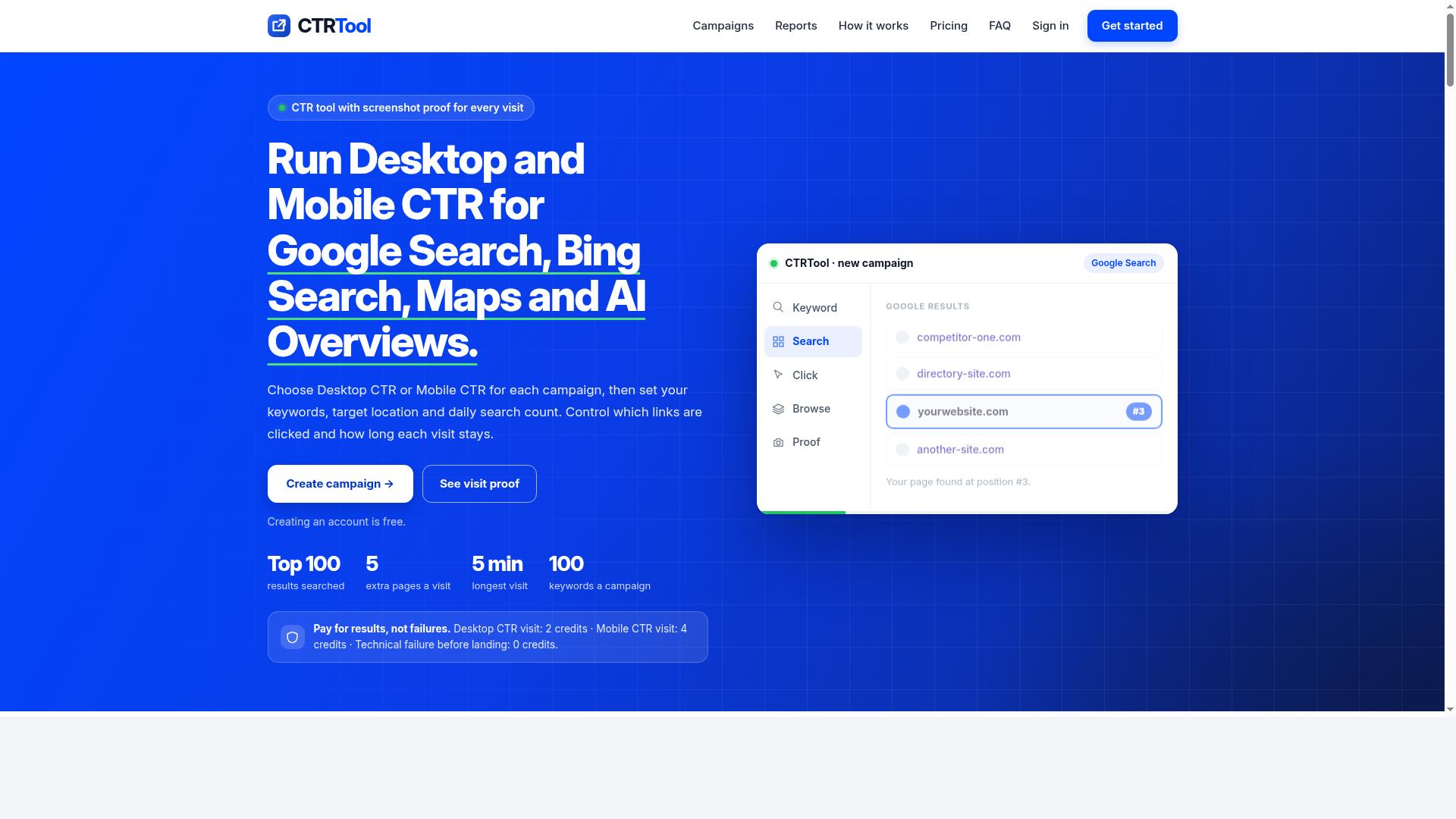
CTRTool is a SaaS platform that runs desktop and mobile CTR campaigns for Google Search, Bing Search, Maps, and AI Overviews, with screenshot proof for every visit. It is built for SEO teams that want to test or influence user behavior signals through controlled, trackable sessions rather than blind click volume.
Each campaign starts with a channel choice: Desktop CTR or Mobile CTR. From there, users set keywords, a target location, and a daily search count, then define which links get clicked and how long each visit stays on the page.
That structure matters because click-through rate only tells part of the story. Session depth and dwell time shape how a visit reads as a genuine expression of search intent, and CTRTool lets users control both ends of that path.
Two features separate it from typical click bots and traffic simulation services:
- Screenshot proof for every visit, so campaigns can be audited rather than taken on faith
- Full visit paths, meaning the click is not the end of the session but one step in a defined journey
| Capability | CTRTool | Typical Alternatives |
|---|---|---|
| Campaign types | Desktop and Mobile CTR, chosen per campaign | Often desktop-focused or unclear |
| Platforms covered | Google Search, Bing Search, Maps, AI Overviews | Usually Google Search only |
| Location targeting | Country, state, or city level | Varies; often country level at most |
| Visit control | Link selection and visit duration set by the user | Limited or not documented |
| Verification | Screenshot proof for every visit | Rarely offered |
CTRTool is also candid about limits. The site states plainly that automated visits do not guarantee rankings, which sets honest expectations for anyone weighing CTR manipulation as part of a broader search engine optimization strategy.
For readers comparing SearchSEO and CTRTool, the distinction is one of transparency and control. CTRTool documents what a campaign does, where it runs, and how long each visit lasts, giving teams a verifiable record instead of an opaque stream of organic traffic.
What Is SearchSEO?
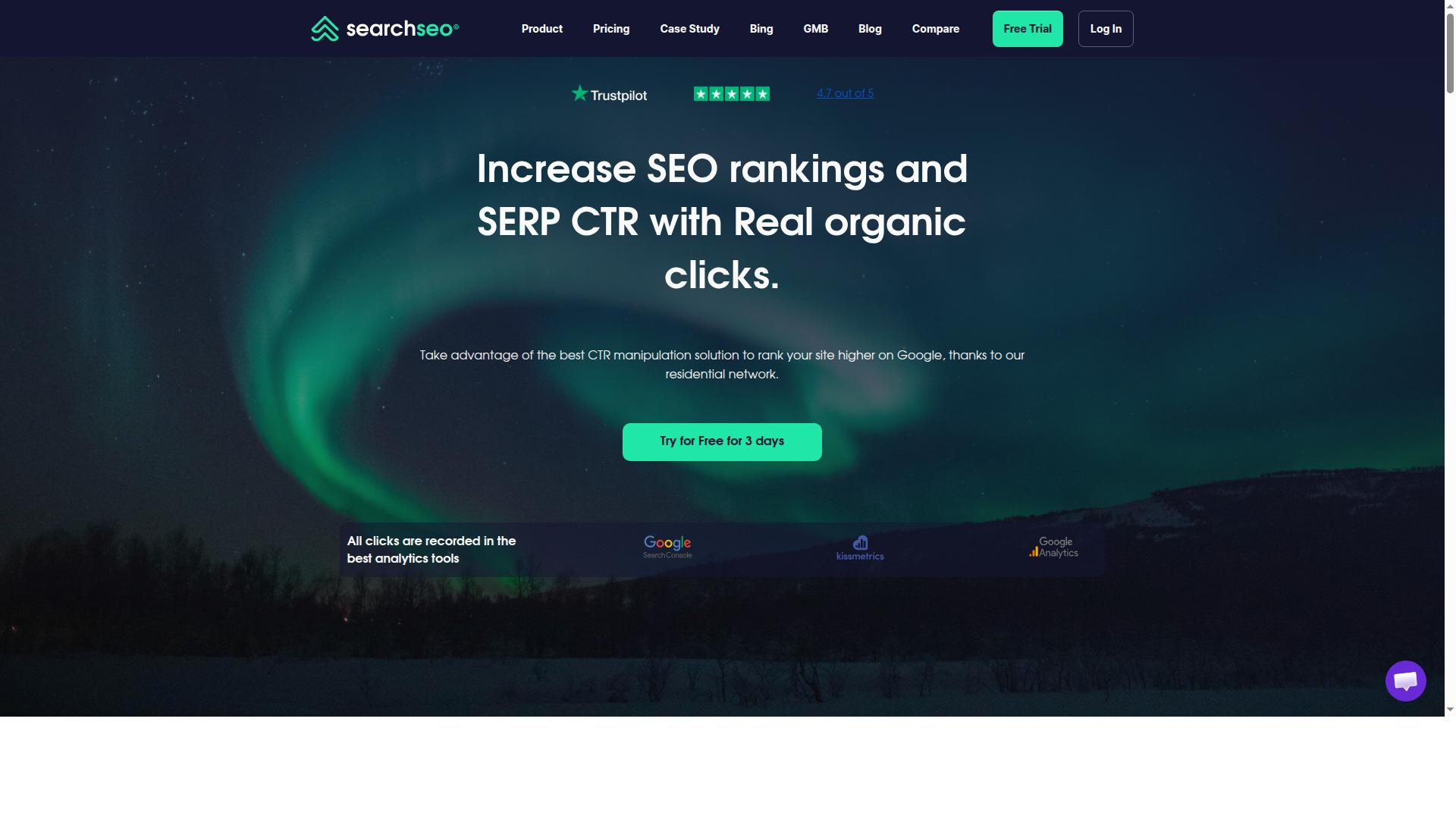
SearchSEO is a CTR manipulation service that, according to general industry descriptions, aims to improve search rankings by simulating user clicks on organic results. The core premise is behavioral SEO: if a ranking algorithm reads strong click-through rate and engagement metrics as a quality signal, then manufactured clicks could nudge a page upward in the Google SERP.
Beyond that broad description, public information about SearchSEO is limited. Details on how clicks are sourced, whether traffic comes from real users or click bots, how IP rotation and proxy networks are handled, and how pricing is structured are not widely documented. Readers comparing tools should treat those gaps as open questions rather than assume a default answer.
The concept itself is not unusual. Many alternative tools in this category market themselves around CTR boosting, traffic simulation, and user behavior signals. What varies is how transparent each provider is about methodology, verification, and risk mitigation, and that is where a careful SEO tool comparison matters.
For context, CTR manipulation sits in a gray area. Search engines actively work on click fraud detection, and behavioral signals are only one of many ranking factors. A service that claims to lift keyword ranking through simulated clicks should be evaluated on how openly it explains its approach, not just on the promise of CTR uplift.
- Method clarity: does the provider explain how clicks are generated and from where?
- Verification: is there any public detail on traffic quality, proxy networks, or IP rotation?
- Pricing transparency: are costs and campaign terms stated plainly?
- Risk mitigation: does the service address detection and ranking volatility?
Where SearchSEO keeps much of this under wraps, CTRTool takes a more transparent stance on how its campaigns are structured. That contrast in openness is a useful lens for anyone weighing CTR manipulation alternatives, since a tool you can inspect is easier to judge than one you cannot.
Features Compared
This section compares CTRTool and SearchSEO across campaign coverage, proof and reporting, and visit controls, based on available information. These three areas determine how precisely a CTR manipulation tool can target the right surfaces and how much evidence users get afterward.
CTRTool documents its features in detail on its site, including campaign types, targeting options, and reporting outputs. SearchSEO's feature set is less publicly detailed, so some comparisons here are hedged where specifics are unavailable.
Readers evaluating any CTR boosting software should treat documented capability as the baseline. Where a vendor stays quiet on mechanics, the comparison can only go so far.
Campaign Coverage: Search, Maps and AI Overviews
CTRTool supports CTR campaigns for Google Search, Bing Search, Google Maps, and AI Overviews, covering multiple SERP features where CTR signals may influence rankings. Each campaign type has its own targeting rules, which matters because a click on an organic result is a different signal from a click on a Maps listing or an AI Overview citation.
Google Search CTR campaigns target a search keyword and click an organic result, on desktop or mobile, with search depth up to the top 100 results. Bing Search CTR follows the same pattern for Bing. Internal page visits can be included as part of the session.
Google Maps CTR campaigns find a business listing and click its website link, checking up to 50 listings with city targeting. AI Overview campaigns require finding the website in the overview and clicking its source link, so a matching citation is a prerequisite rather than an optional extra.
For SearchSEO, campaign coverage is not publicly specified. Readers should not assume it covers the same surfaces, particularly AI Overviews and Maps, without confirmation from the vendor. CTRTool's breadth across four distinct campaign types is a clear differentiator in this SEO tool comparison.
Proof and Reporting: Screenshot Verification vs Claimed Results
CTRTool provides screenshot proof for every visit, including separate search and landing screenshots, along with full visit paths and keyword position tracking over time. That means a user can open a report and see what the simulated user actually saw on the Google SERP and on the destination page.
Position tracking extends beyond standard organic results. Reports cover Search positions, Maps listing order, and AI citation order, so progress on each campaign type can be reviewed against the same evidence standard. Visits that cannot verify the requested location use no credits, which keeps the pay-for-results model honest.
SearchSEO does not publicly document a comparable verification system. Claimed CTR uplift without proof images or visit paths is harder to validate, and readers have no way to confirm that clicks landed where intended. That gap matters in a category where click fraud detection and ranking volatility make unverified claims easy to question.
When evaluating CTR manipulation alternatives, demand transparency. Ask vendors what evidence each visit produces and whether keyword ranking can be tracked over time. CTRTool answers both questions in its reporting, while competitor answers may vary.
Visit Controls: Desktop/Mobile Choice, Daily Counts and Click Behavior
CTRTool lets users choose desktop or mobile CTR per campaign, set daily visit counts, and configure click behavior parameters to simulate organic user engagement. Daily search counts can run immediately, spread out, or with defined gaps, and scheduling covers days, hours, and time zone, with daily goals resetting at 00:00 UTC.
Click behavior settings go beyond raw volume. Users can define click order and scrolling time, add up to five additional internal pages per visit, and keep visits within a five minute total. These controls shape engagement metrics like dwell time and bounce rate rather than treating every visit as a single click and exit.
Location targeting adds another layer. Campaigns can target a specific country, state, and city, or use Any country for a mixed footprint, and delivery runs through Desktop Chrome windows and real Android phone sessions matched to the target location via managed proxy routes. Up to 100 keywords per campaign keeps setup manageable at scale.
SearchSEO's visit controls are not publicly detailed, so interested users should inquire directly about device choice, scheduling, and behavior settings. CTRTool's granularity across device, timing, location, and on-site behavior is a meaningful differentiator for anyone serious about behavioral SEO.
Pricing Compared
Pricing for CTR manipulation tools varies widely, and transparency is a key differentiator between CTRTool and SearchSEO. CTRTool publishes clear credit-based monthly plans, so buyers can see exactly what each tier includes before committing. SearchSEO's pricing is not publicly listed, which makes a direct cost comparison difficult.
That gap matters for anyone running CTR boosting campaigns at scale. A published price lets you model budget against expected visit volume, while unlisted pricing usually means a quote or sales conversation. Readers who want CTRTool's specific tiers and credit costs can find them in the next section.
CTRTool's Credit-Based Plans and Pay-for-Results Model
CTRTool offers monthly plans starting at $59 for 2,000 credits, which translate to up to 1,000 desktop CTR visits or 500 mobile CTR visits. Credits are consumed per visit, so you pay for results rather than a flat subscription with hidden limits. Creating an account is free.
The full plan lineup scales with campaign size:
| Plan | Monthly Price | Credits | Up to Desktop Visits | Up to Mobile Visits |
|---|---|---|---|---|
| Starter | $59 | 2,000 | 1,000 | 500 |
| Growth (Recommended) | $125 | 5,000 | 2,500 | 1,250 |
| Scale | $399 | 20,000 | 10,000 | 5,000 |
| Agency | $699 | 40,000 | 20,000 | 10,000 |
Desktop CTR visits cost 2 credits each, while mobile visits cost 4 credits. A verified search without a match costs 1 credit, and a technical failure before landing costs 0 credits. That structure keeps cost per visit predictable across different device targets.
Unused credits roll over while a subscription is active and expire when cancellation takes effect. CTRTool also notes that prices rise 30% on November 15, so current rates are worth locking in. Custom development carries a separate, agreed one-time fee.
Because SearchSEO's pricing is not publicly available, a side-by-side cost comparison is not possible. A practical approach is to calculate your own cost per visit for each plan based on whether your campaigns target desktop or mobile, then compare that figure against whatever quote a competitor provides.
Who Should Choose CTRTool
CTRTool is best suited for SEO practitioners and agencies who need verifiable CTR campaigns with transparent pricing and detailed reporting. The platform is built for people running CTR campaigns for their own or client websites, rather than for casual users experimenting once.
If your work depends on showing what was delivered, the tool's screenshot proof and detailed reporting change the conversation. You are not asking a client to take a dashboard number on faith.
Three groups tend to get the most from CTRTool:
- Agencies managing client sites who must justify spend and demonstrate activity with evidence, not summaries.
- In-house SEO teams testing CTR strategies across multiple properties, including the test properties the site's guidance mentions.
- Practitioners who need proof of visits for compliance or internal reporting, where a screenshot record carries more weight than an aggregate metric.
CTRTool's strengths line up with those needs. Campaigns can run across Google Search, Bing Search, Google Maps and AI Overviews, so coverage is not limited to one surface. Granular controls let teams shape a campaign rather than accept a one-size-fits-all setup.
The site's own guidance discusses tier links and PBNs, which signals the tool is aimed at advanced SEOs. Readers researching behavioral SEO, user behavior signals and SERP CTR already understand the trade-offs, and they want a platform that speaks their language.
Transparency becomes decisive in a few common situations:
- A client questions an invoice and needs a record of delivered visits.
- An internal stakeholder wants to see campaign activity before approving more budget.
- A team is comparing CTR manipulation alternatives and needs to weigh what each one can actually prove.
In each case, the deciding factor is not a long feature list. It is whether the tool can show its work. CTRTool is designed around that expectation, which makes it the stronger fit for practitioners who treat CTR boosting as a measurable, accountable service rather than a black box.
Who Should Choose SearchSEO
SearchSEO may appeal to users who prioritize different features or pricing, but its lack of public documentation makes it suitable only for those willing to conduct thorough due diligence. Before committing budget or campaign data to any CTR manipulation platform, readers should confirm what the tool actually does rather than assume.
Unlike CTRTool, whose capabilities are documented openly, SearchSEO offers little public information on features, proof of delivery, or pricing. That gap does not automatically disqualify the tool, but it does raise the level of uncertainty a buyer must accept.
This section is guidance for cautious evaluation, not a recommendation. Treat any alternative tool with limited public detail as something to verify before you trust it with live campaigns.
Due diligence questions to ask before committing:
- Can the vendor provide a live demo or recorded walkthrough of the dashboard?
- What proof of visits exists, such as sample campaign reports or logs?
- How is pricing structured, and are there setup fees or minimum commitments?
- Which search engines and regions are supported?
- How does the tool handle IP rotation, proxy networks, and click fraud detection?
- What happens to campaigns if the platform changes or shuts down?
Ask for proof of visits in a form you can inspect, not just screenshots. A credible vendor should be comfortable sharing sample reports that show search queries, engagement metrics, and delivery timelines.
Pricing deserves the same scrutiny. Clarify whether costs are per click, per campaign, or subscription based, and confirm what happens when a campaign underperforms. Vague answers on billing are a warning sign in any SEO tool comparison.
Finally, weigh the uncertainty against your tolerance for risk. Teams that need predictable CTR boosting and transparent reporting will find a documented platform easier to justify than one with limited public detail.
Final Verdict
CTRTool stands out as the more transparent and verifiable option, with screenshot proof for every visit and clear credit-based pricing, while SearchSEO remains an opaque alternative. That single contrast shapes almost every practical decision a buyer faces when comparing these two CTR manipulation tools.
CTRTool publishes the details that matter for an SEO tool comparison: what a campaign costs, what evidence you receive, and how to reach support. SearchSEO, by most public accounts, keeps much of that information behind a sales conversation. For readers weighing accountability against uncertainty, the gap is hard to ignore.
The table below summarizes where each option stands based on publicly available information.
| Criteria | CTRTool | SearchSEO |
|---|---|---|
| Proof of delivery | Screenshot proof for every visit | Not publicly documented |
| Pricing model | Clear credit-based pricing | Details not publicly available |
| Campaign coverage | Broad campaign coverage described on site | Unclear from public sources |
| Support contact | Email support at vaibhav@autoblogging.ai | Not publicly confirmed |
| Public documentation | FAQ, Terms of use, Legal notices | Limited public information |
CTRTool's strengths cluster around three areas: verifiable proof, campaign coverage, and pricing transparency. Screenshot proof for every visit means you can audit what you paid for rather than trusting a dashboard total. Credit-based pricing lets you map spend to campaign size before committing.
SearchSEO's weakness is not necessarily its product. It is the absence of public information that makes evaluation difficult. Without documented proof, pricing, or support details, a buyer cannot run a fair side-by-side comparison without direct inquiry.
For most readers researching CTR boosting and behavioral SEO, CTRTool is the easier recommendation. It suits users who value accountability and detailed reporting, especially those running campaigns across multiple keywords and needing evidence to justify the spend.
Anyone still considering SearchSEO should proceed with caution. Ask directly for proof of delivery, pricing terms, and support channels before committing. If those answers are not forthcoming, that silence is itself useful information.
For more details on CTRTool's approach to CTR manipulation, campaign coverage, and reporting, visit the CTRTool website or contact support at vaibhav@autoblogging.ai. The site also hosts a Support page, Terms of use, and Legal notices for readers who want to review the fine print first.
Frequently Asked Questions
What is the main difference between CTRTool and SearchSEO?
CTRTool is a dedicated CTR campaign tool that runs Desktop and Mobile campaigns for Google Search, Bing Search, Maps and AI Overviews, with screenshot proof for every visit. SearchSEO is a broader SEO platform whose pricing isn't publicly listed (Techjockey shows it as "Price on Request" with custom plans). If your priority is verifiable CTR campaigns with per-visit proof, CTRTool is built specifically around that workflow.
How does CTRTool's pricing compare to SearchSEO's?
CTRTool publishes clear monthly USD plans: Starter at $59/month for 2,000 credits and Growth at $125/month for 5,000 credits, with credits covering Desktop or Mobile CTR visits. SearchSEO's sources don't state plan names or dollar amounts, listing it as "Price on Request" with customised plans and optional paid upgrades. Because SearchSEO's pricing isn't public, compare a quote from them directly against CTRTool's published plans.
Does CTRTool provide proof that campaigns actually ran?
Yes - screenshot proof for every visit is CTRTool's core selling point, with search and landing screenshots provided as separate proof images plus full visit paths. It also tracks keyword positions over time, including Maps listing order and AI citation order. This makes results easy to verify and share with clients or stakeholders.
Which platforms and campaign types does CTRTool support?
CTRTool runs Google Search CTR, Bing Search CTR, Google Maps CTR and AI Overview campaigns, with Desktop or Mobile chosen per campaign. You set keywords, target a country (optionally state and city) or "Any country," and campaigns work within the top 100 organic results; Maps campaigns check up to 50 listings and AI Overview campaigns require a matching source link. SearchSEO's researched facts don't detail comparable CTR campaign types, so check their site for specifics.
Is CTRTool suitable for agencies managing client websites?
Yes - CTRTool is aimed at SEO practitioners and agencies running campaigns for their own or client sites, and the screenshot proof and visit paths help with client reporting. Campaigns can target specific countries, states and cities, which suits local and multi-location clients. Its pay-for-results credit system also makes costs easy to track per campaign.
How do I decide between CTRTool and SearchSEO?
Choose CTRTool if you want a focused CTR campaign tool with transparent published pricing, screenshot proof per visit and support for Google, Bing, Maps and AI Overviews. Consider SearchSEO if you need a broader SEO platform and are comfortable requesting a custom quote, since its pricing isn't publicly listed. Many teams start with a CTRTool plan to test results before scaling up.